I finally built a website - and didn't write a line of code
"Thanks to AI, people with no coding experience can build anything"
I thought I'd put this statement to the test and I had the perfect first project.
It feels like everyone is using AI to build cool stuff in Tableau. I wanted to get in on that, but had no idea where to start. For me, the answer wasn't directly for a Tableau project but something I've wanted to do, but not had the skills for in the past.
When I present at Tableau User Groups, they tend to end the same way. Someone asks a follow-up question about a technique I mentioned and they say: "Do you have a blog?"
And every time, I've had to say no.
Not because I don't have things to say. I do. But building a personal website always felt like a weekend project that would stretch into a month-long ordeal — setting up hosting, wrestling with CSS, figuring out how to write markdown files every time I wanted to post something. I have a coding background, enough to be dangerous, but not enough to spin up a polished, production-ready site without a significant time investment I just didn't have.
The Starting Point: VSCode and a Conversation
I started with VSCode and Claude Code. I gave the good people at Anthropic 20 of my hard earned dollars and sat down to see what I could do.
Full disclosure, I was already familiar with VSCode, so I wasn't starting totally from scratch.
The first version came together surprisingly fast. Claude Code scaffolded a Next.js site with a proper navigation structure, a home page, a blog section that read from markdown files, a portfolio page, a presentations section, and an about page. Real pages, real routing, real design. In a few hours of back-and-forth conversation, I had something that looked like an actual website.
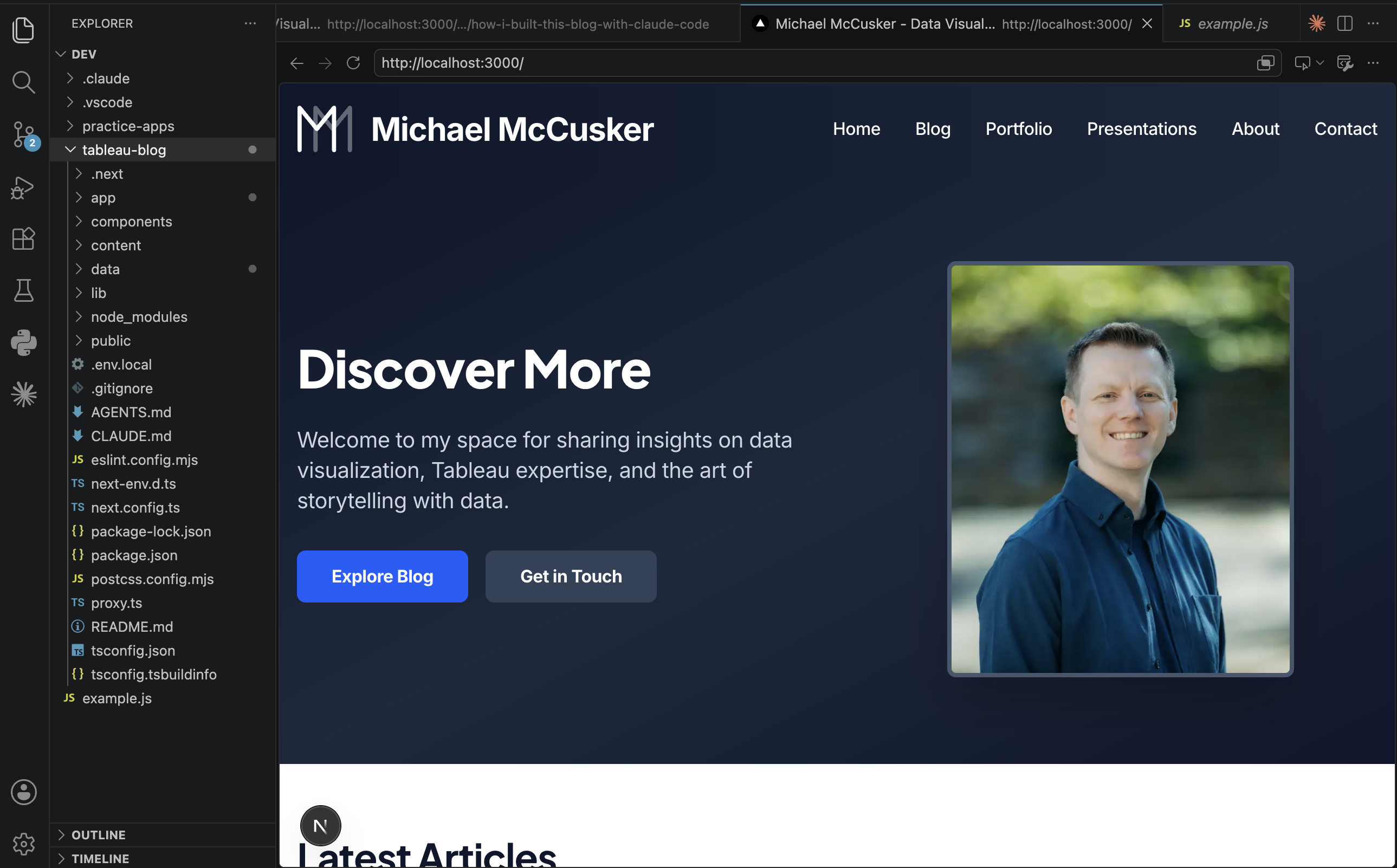
At this stage, I have only given Claude prompts and instruction. Something I found really helpful was to use 'Plan' mode rather than 'Agent' or 'Chat' - this worked much more like a requirements gathering session before Claude jumped into the job.
Claude built all the directory structure that you see on the left-hand side of the screenshot above. It was not instant - it had a lot of work to do and it took time to work through it. I had just moved house, so as it worked on the code, I unpacked another box. I'd pop back from time to time to answer questions.
With the website built - we talked more. "I want to change this button". "What does it look like on mobile?"
All that worked. But then I hit a wall.
What about adding new stuff?
Here's the thing nobody tells you about building a "no-code" site with AI: the build itself might be no-code, but the ongoing maintenance absolutely is not.
Say I wanted to write a new blog post. The process for that would be that I'd have to open a markdown file, get the formatting exactly right, figure out where to put images, and redeploy. That's not a blog — that's a chore. The whole point was to make this easy enough that I'd actually use it.
So I made a big pivot, and it turned out to be the biggest win of the entire project.
I asked Claude Code to build me an editor. Not a third-party CMS, not a Notion integration, not a headless WordPress setup — a custom, built-in editor that lives at a hidden URL on the site itself, invisible to anyone visiting, but available to me when I need it.
What came out of that pivot is genuinely impressive:
-
A blog editor — I type, I format, I hit save. No markdown, no formatting, no terminal commands.
-
Drag-and-drop images — I can drop a screenshot directly into the body of a post, or onto a cover image zone, and it handles the upload automatically. I even iterated to allow resizing by dragging the image.
But why stop at just a blog editor - this worked so well - so I added the ability to edit all the sections in a no-code, user-friendly way:
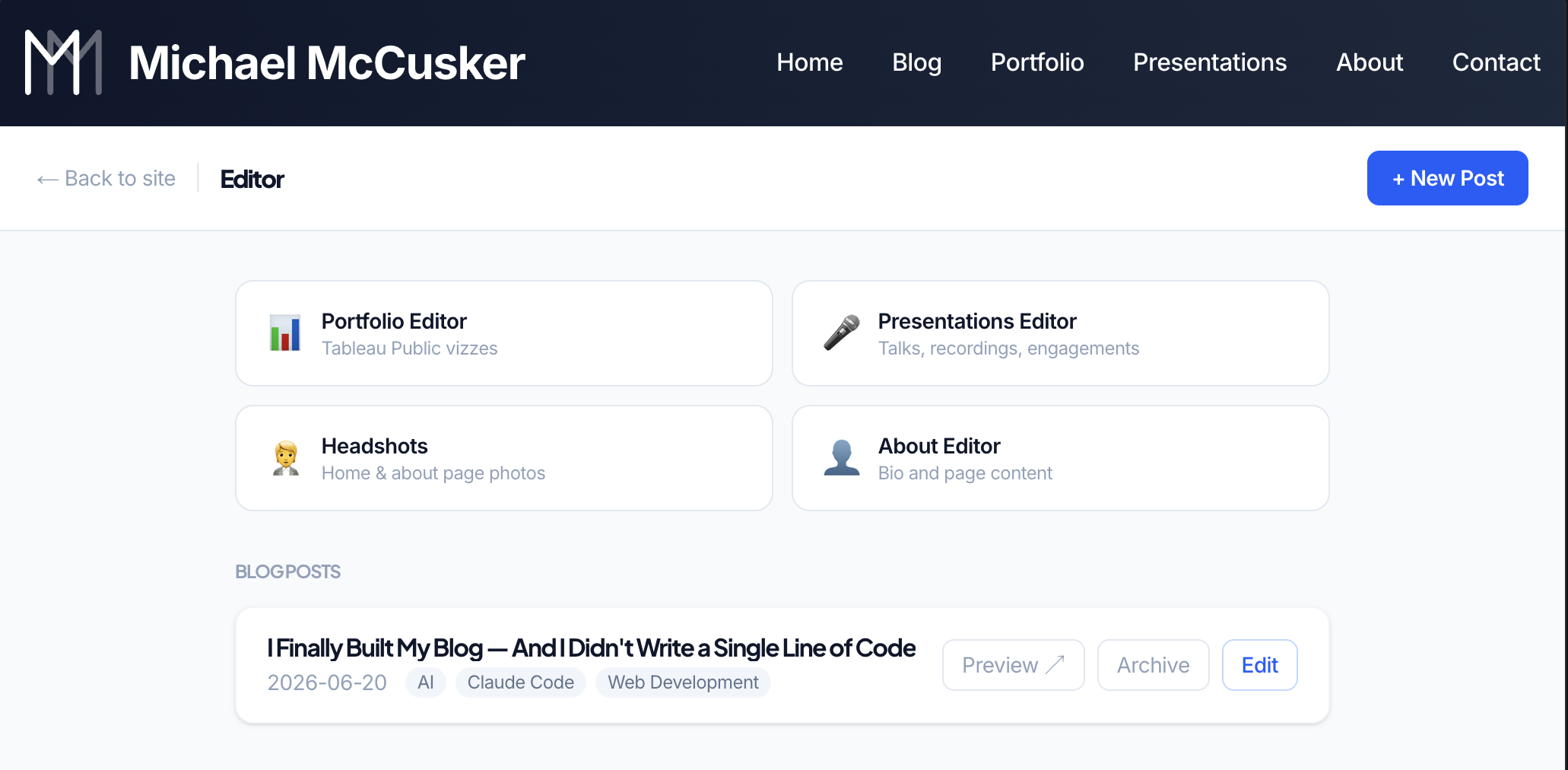
This editor turned a personal website into a user-friendly tool that allows me to easily make updates and post new content without having to unpack all the code.
A Few Things That Surprised Me
The AI is a collaborator, not an autocomplete I came in expecting to describe what I wanted and receive finished code. Instead, using 'Plan' mode we did just that - we came up with a plan, iterated on the plan all before executing.
The real superpower is iteration The editor wasn't part of the plan. Had I spent hours manually building the code for the website, there's no way I'd have continued to iterate to add this functionality. See something that's not quite right, describe it, have it fixed in seconds, move on. I changed the logo four or five times. I tweaked the header sizing, the thumbnail dimensions, the editor layout. Things that would have taken me a day to figure out on my own took minutes.
Clear instructions I didn't write code, but I wrote long prompts. The quality of the output was directly proportional to the clarity of my thinking. When I knew exactly what I wanted, it delivered it. When I was vague, I got something plausible but not quite right. Garbage in; garbage out.
The editor unlocks everything This project's biggest win wasn't even part of the original plan. If you're building a personal site with AI and you stop at "the pages load correctly," you've left the most valuable part on the table. Build the tooling. Build the management layer. Create an editor. In the future, if I let my Claude subscription run out, I can still come in to edit and update my website without worrying about whether the code will be too complex for me to work with.
It only took an afternoon I iterated a lot. I procrastinated. I left Claude running as I did other errands. So not an accurate measure of time - but I went from nothing to a fully functional website in about 3-4 hours of dev time. I think I took longer trying to decide what domain name I wanted (and in the end, creatively went with michael-mccusker.com)
How does it look?
Something I'd never have figured out on my own is how to code for the device the site is being viewed on.
Whether you are reading this on a mobile, desktop or any sized device in-between, Claude helped me code to account for the screen size. Adjust the menus, thumbnail orientations and image placement - all dynamically.
An example where I just needed the idea and clear instruction to Claude to make it happen.
Crossing the finish line
Claude has done everything I've asked of it - it has built the code needed to create a website. Now it's over to me to figure out how to actually make this available, right?
But thankfully Claude was able to help me there too. There are a lot of options when it comes to hosting, deploying, etc. Claude was there to steer me through the mess of options that fit best with how this was built and importantly how best to keep it going into the future.
If you're in the Tableau community and you've been asking me whether I have a blog: now I do. I'll get to updating it with some cool tips, tricks and best practices from my TUG talks.
What next?
In the previous few Tableau Conferences, there was an appetite to use AI, but no clear direction. This year was different. TC26 was awash with great use cases for AI and Tableau.
Cloud management. REST API calls. Tableau MCP. Custom Viz Extensions. So many choices.
There are so many ideas out there that it can be hard to know where to start.
A small project like building this website is a great way to get started. It gave me experience using Claude Code to offload the heavy technical lifting and focus on iteration and idea creation.
Now onto some Tableau projects.