Tableau's Cheat Codes: A REST API Starter Pack

In December 2025, I discovered Tableau's REST API: a way to work with Tableau from code instead of clicking through the web interface. When I did, it felt like I'd found Tableau's cheat codes and I've never looked back.
Today I'm sharing a Tableau REST API Starter Pack. It's 10 of my favorite scripts that I use regularly - plus a bonus one I just couldn't leave off the list.
Also importantly - and most importantly is a skill file that will have you building your own REST API scripts faster, with less back and forth.
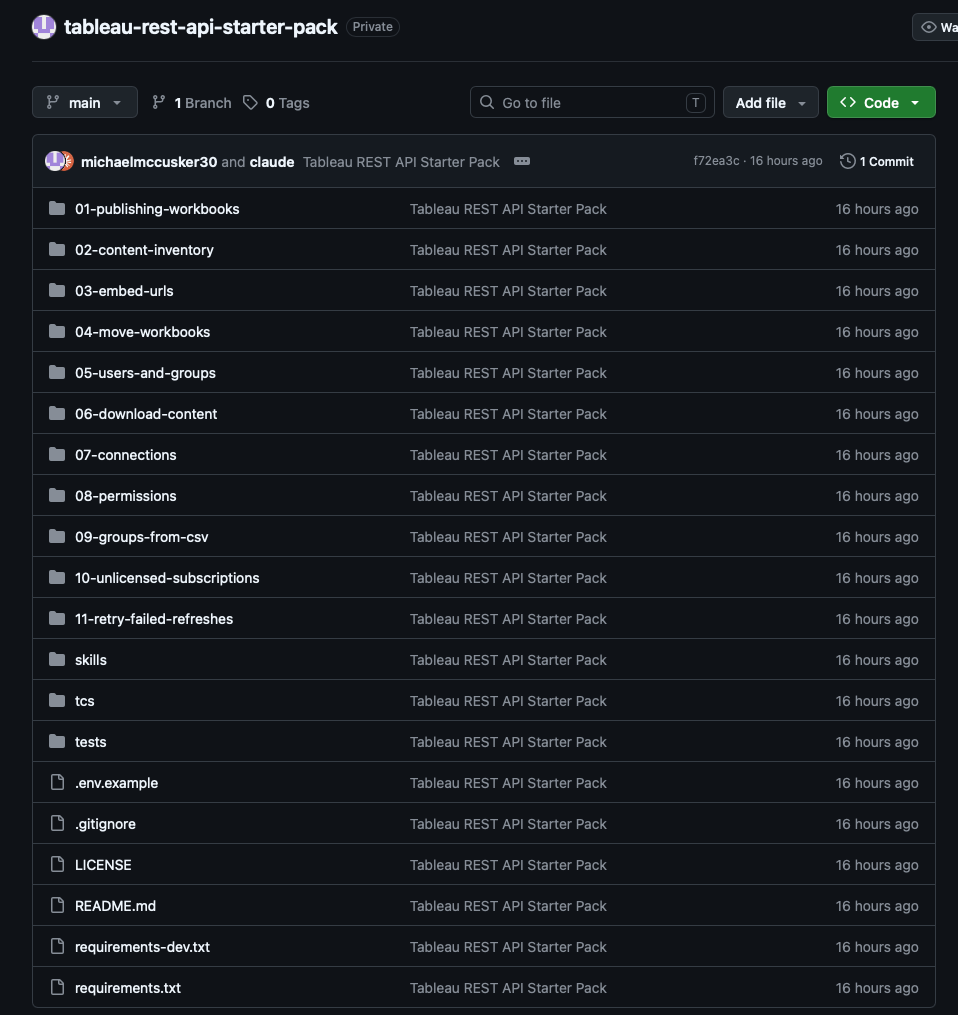
Eleven entries, a shared toolkit and the skill files
A different way to do the same things?
At first I didn't appreciate what it could unlock. It sounded like a different way to do things I could already do in the web interface. Publish a workbook? There's a button for that.

My first reaction to the REST API
That changed quickly. A button on the website does one thing, once. A script does it a hundred times, the same way every single time.
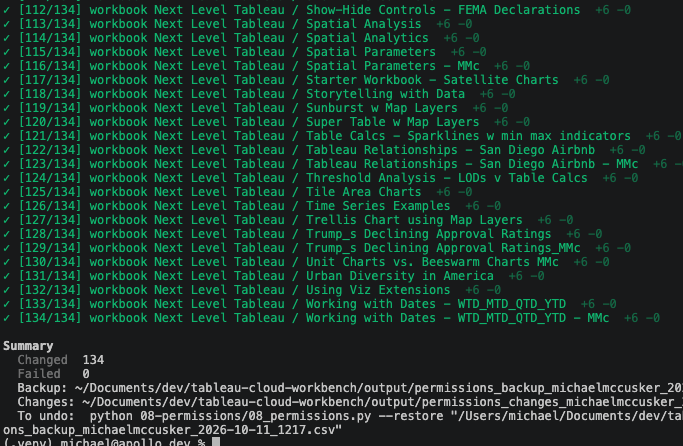
This script changed the permissions across 134 workbooks for a whole group of users in about 15 seconds. How many clicks would that have been on the website?
YouTube Tutorials and the Developer Program
I learned with Chris Perry's YouTube series, Automation with Tableau Server Client. Highly recommended. Back then, AI was around, but it wasn't anywhere near as good as it is now, and it couldn't reliably write this kind of script for you.
The other thing that made it possible was Tableau's Developer Program. It gives you a small Tableau Cloud site that you own and are the admin of. It's a wonderful, essential tool for any budding site admin or data developer, and much safer to experiment on than anything at work. Every script in this pack has been run against mine.
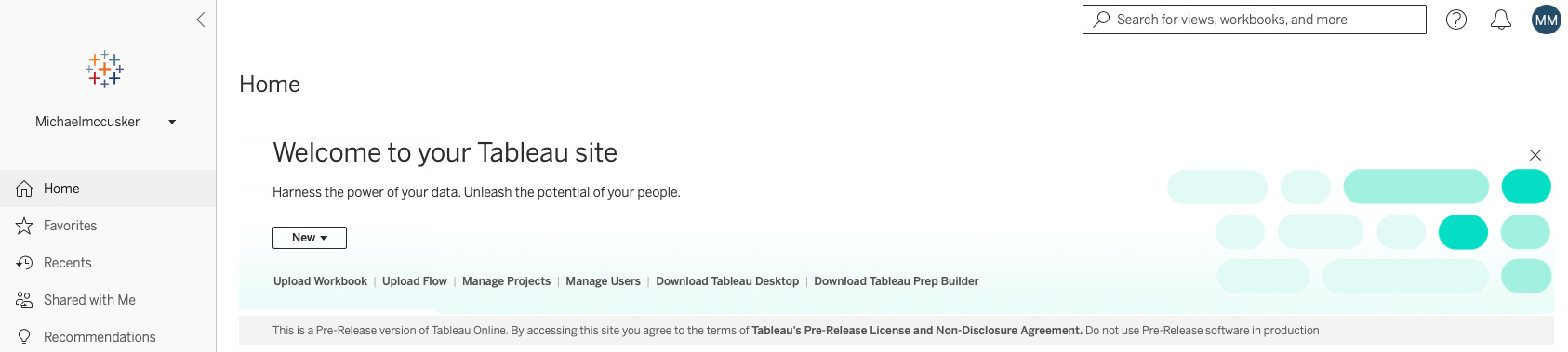
My Developer Program site: my own Tableau Cloud sandbox
With the video tutorials you can get to a good understanding fast, and write useful scripts for real admin jobs.
From my sandbox to a real migration
Armed with Chris' videos and my own cloud, I had everything I needed to start exploring the Tableau REST API. And since I was using my developer site and not work's, breaking things and making mistakes didn't matter.
With a bit of time and practice, I got a good understanding of how the REST API behaved and what it could do. Then, as AI coding assistants got better over the year, they became part of how I worked too.
The timing was perfect. I was able to take all of this and turn it into a Tableau Cloud migration workflow, plus all the supporting scripts needed to migrate my team from on-premises Tableau Server to Cloud.
Naturally, the cloud migration work belongs to my company, so I'm not sharing any of it. But what made the project so much easier was bringing over the skills I'd already developed in my sandbox. Breaking things there was free. Breaking things at work wasn't an option.
What I am sharing is what was mine to begin with: the skills, and a sense of which jobs are worth automating. The lesson I'd pass on: learn somewhere safe, then take the skills with you, not the files.
Evolving Scripts
Script 1: Upload Workbook
In the starter pack, you'll notice there are 3 versions of the first script to upload workbooks to cloud/server:
-
1a, hand-built. Mine. Simple and effective.
-
1b, robust. Direct REST calls, a file browser, a project picker that drills into sub-projects, a check for a workbook with the same name, a review screen, and a dry run.
-
1c, supercharged. Point it at a folder, and it finds every workbook in it and its subfolders. Pick one, some or all, and it publishes the lot, with one decision for any names already taken.
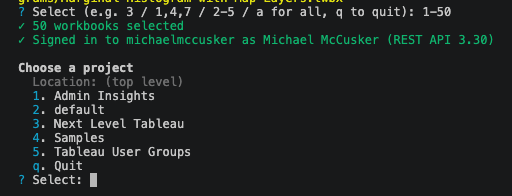
Ready to upload 50 workbooks in about 2 mins
Not just how I build, but what's possible, changed so much in a short period of time.
AI-assisted coding is much better, and so is my understanding of the REST API. Looking back at what I wrote while I was learning, there were a few mistakes. My personal access token was hard-coded into the script, for one. (Long expired, I promise.)
That's the first thing the starter pack fixes. Every script reads its credentials from a .env file that stays on your machine and never goes into git, and the pack's .env skill file walks you (or your AI assistant) through setting one up.
The gaps in 1a stay invisible until your site grows. My version matched the project by name, so with a "Reporting" project under both Finance and Sales, it would pick whichever came first. It didn't check whether the workbook name was already taken, so "Overwrite" replaced things without asking. There was no review and no dry run. None of that mattered on my small site. All of it matters on a big one.
Testing taught me things about the API itself. Tableau Server Client (the library I learned with) signs in on an old API version, 2.4, then switches up. "Hide tabs" in that library means leaving the setting out entirely rather than saying no. The same endpoints happily speak JSON or XML.
The question that mattered. For 1c, I asked for something that would "pick a project, then scan it and all sub-projects for any twbx files". Before writing a line, Claude came back with a question. That sentence has three readings: scan a folder on my computer and publish into one project; mirror my folders into projects; or switch tabs on for workbooks already on the site. A wrong guess wastes the whole build. It was the first one.
The test that failed for the right reason. One early test expected a clash between an existing workbook called sales and a file called Sales.twbx. It didn't find one, because Tableau's name filter is exact. The script was right; the test's assumption was wrong. It still raised a real question about how Tableau Cloud treats case.
From one-off to feature. 1c started as a throwaway, kept out of git. I ran it for real and it was working incredibly well, so I changed my mind: it became a feature piece of the pack.
Who did what. Claude wrote the code, the tests and the documentation. I set the scope, made every judgment call and ran everything against my real site. The offline tests, against a fake Tableau API, catch mistakes in seconds. Only the live run proves it works. 1b, 1c and the shared toolkit underneath them were built in one day.
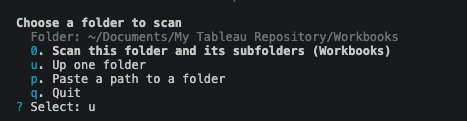
1c scans a whole folder on my computer, subfolders and all, for .twbx files to publish to Cloud
What's in the starter pack
Everything after entry 01 is a single, complete tool. Every one of them works the same way: interactive by default, with a flag for every question; a review screen before anything happens; a dry run; and, for anything that changes your site, a record written before the first change.
-
01 · Publishing workbooks: One job, three ways (above).
-
02 · Content inventory: Every workbook, its full project path, owner and view count.
-
03 · Embed URLs: A link, an iframe and an embed code for every view, with a ready-made HTML page.
-
04 · Move workbooks: Move workbooks between projects, with an undo.
-
05 · Users and groups: Who's on the site, who's in what, and who needs a look.
-
06 · Download content: Back up workbooks and data sources into folders that mirror your projects.
-
07 · Connections: Every data connection, and the account it signs in as.
-
08 · Permissions: Report every rule; grant, revoke or restore them.
-
09 · Groups from a CSV: Add users to groups from a spreadsheet. Never removes anyone.
-
10 · Unlicensed subscriptions: Back up, then clear out, subscriptions owned by unlicensed users.
-
11 · Retry failed refreshes ★ Michael's favorite: Bonus. Rerun last night's failed extract refreshes, drip-fed to Tableau's limit.
Each one tackles a job I've met as an admin, written fresh for this pack to the standard 1b and 1c set. Here are the stories behind a few.
02 · Content inventory
Every admin has to keep an eye on their dashboard count: how many there are, where they live, and who owns them. This script lists every workbook with its full project path (Finance / Reporting / Monthly), its owner (with their site role and last sign-in) and its total views. It also writes out the project tree.
If you're a site admin on Tableau Cloud, Admin Insights now covers most of this. The script earns its place on Tableau Server (which has no Admin Insights), for people without admin access, when you need the numbers as of now rather than the last refresh, and as input to other scripts.
My favorite column turned out to be the humble Webpage URL: a direct link to every workbook. Filter the inventory to the workbooks that matter and you've got the start of a landing page, or a list of your organization's high-value workbooks. That idea became entry 03, which does the same for every view, with embed codes and a ready-made web page, sorted by view count.
04 · Move workbooks
Not just moving them. Real sites have deep project trees, and a bulk move often pulls workbooks out of a dozen different sub-projects. This script records every workbook's full path, where it was and where it went, in a log written before the first move.
Feed that log back with --undo, and every workbook goes back exactly where it came from. It only moves back the ones still where it put them, so it won't undo someone else's later change. Pick workbooks from a project, or hand it a CSV. Entry 02's inventory works as-is: filter it in Excel, save, move.
Here, the built-in --dry-run that every script in the pack has is really helpful: you see every move before anything actually moves.
07 · Connections
Ever had a service account password change, and suddenly needed to update it in a thousand places? Step one is knowing where those places are. This script lists every connection on your data sources and workbooks: the type, server, username, and whether a password is embedded. The review sums up which accounts are used where. --username svc_reporting gives you just that account's list.
It deliberately stops at finding them. Changing passwords in bulk is about the riskiest thing you can script against a site: Tableau can't show you the old password, so one typo breaks every refresh at once, with no way back. Find them all first. Change them with care.
08 · Permissions
Permissions are complicated. Projects have their own rules, plus default rules for every new workbook, and every workbook has its own as well. This script reports all of them, with names instead of IDs. It can also grant one of Tableau's templates (View, Explore, Publish, Administer) to users or groups, or revoke them.
Before any change, it saves the current rules, and --restore puts them back exactly. It shows you the difference first:
Workbook: Samples / Superstore
  + All Users (group): WebAuthoring
One easy mistake (I've made it): a "View" template that quietly includes Share Customized. Tableau's own View template doesn't. The pack's templates match Tableau's.
10 · Unlicensed subscriptions
In my experience, Tableau Cloud doesn't clear out people who leave; they become Unlicensed. Their subscriptions stay behind, scheduled emails that can't be delivered, failing quietly. I hate that. This is my quick clean-up: it finds the subscriptions owned by unlicensed users and shows you each one. When you say yes, it writes a backup and then deletes them. The backup matters because a deleted subscription can't be brought back through the API.
→ Unlicensed subscriptions on GitHub
11 · Bonus: Retry failed refreshes, Michael's favorite ⭐
This is a bit more advanced but is my absolute favorite.
Your database goes down unexpectedly overnight, and 300 extract refreshes fail. Nothing is more tedious than rerunning them all by hand.
This script finds every refresh that failed in the last N hours, creates a list and reruns them for you.
The catch: Tableau caps how many refreshes you can start through the API. I'm sure this is documented somewhere, but it felt that no matter how I built it at first, my job would fail due to API limitations.
So I adapted the script to dynamically work with the limit:
-
it drip-feeds the reruns, spaced evenly through the hour
-
when Tableau says "too many", it slows down and waits as long as Tableau asks
-
it remembers what it has spent if you run it twice in an hour
-
it keeps a log of everything that needed rerunning and its status
-
later,
--checkreports which reruns actually succeeded, because a rerun that's queued isn't a rerun that worked
Rerunning failed refreshes is the job I've most wanted automated, and the pacing is an approach I worked out the hard way. Writing it fresh for this pack, with Claude reviewing every step, meant designing out the traps that are easy to fall into:
-
matching a failure to its data source by name, which can refresh the wrong one (names repeat; IDs don't)
-
an expired session mid-run that never signs back in
-
a fallback route that skips the pacing
-
treating failed flows as if they were extract refreshes
-
recording "success" when a refresh has only been queued
→ Retry failed refreshes on GitHub
Iteration loop
What made this work wasn't one big build. It was a loop.
If you've read my other blogs on AI-assisted development, you'll know this is my favorite thing about it.
Had I spent hours writing scripts, I'm not going back and tweaking, deleting and rewriting 3,4,5 times. Thankfully, Claude is a more patient developer than I am.
Build something, use it on my real site, come back with a list. After the content inventory's first run, I asked what to add, remove or fine-tune. In came owners' site roles and last sign-ins, at no extra cost. Out went a question it didn't need to ask. When I noticed the permissions script only reported, I asked for it to grant and revoke too, and it learned to change permissions, with a way back.
The AI corrected itself along the way, too. It told me view counts would take one call per view, then checked my site and found they take one call per thousand. That's the habit worth copying: check against the real thing before you believe it.
The skill file: institutional knowledge, written down
The part of the pack I'm most excited about isn't a script. It's the REST API skill file.
Every script taught me something about the API the hard way. Some filters work and some return an error. A view's link drops a word from its address. A refresh that's queued hasn't succeeded. Permissions have three rule sets. The skill file writes all of that down in one place, in a form an AI assistant like Claude Code reads before it writes a line. That means:
-
Institutional knowledge. The lessons stop living in one person's head or an old chat.
-
Faster scripts. Your assistant starts from the right endpoint and the right request, instead of guessing.
-
Right more often. The safety habits each script needed become the default.
Link the skills folder into Claude Code (the README shows how), or paste the file into any assistant. And when your scripts teach you something new, add it.
Tips and Lessons learned the hard way
-
Get a Developer Program site. Break things there, not at work.
-
Keep your token out of your code. Use a
.envfile from day one. -
Match on IDs, never names. Names repeat. IDs don't.
-
Write the record before you change anything. A log or a backup is what makes "undo" possible.
-
Let AI write, but you test. On your real site, every time.
Grab the starter pack, point it at your sandbox, and run your first --dry-run.
Resources
Learning
-
Automation with Tableau Server Client: Chris Perry's YouTube series, where I started
-
Tableau Developer Program: your own free Tableau Cloud site to practice on
Reference
The starter pack